In stock

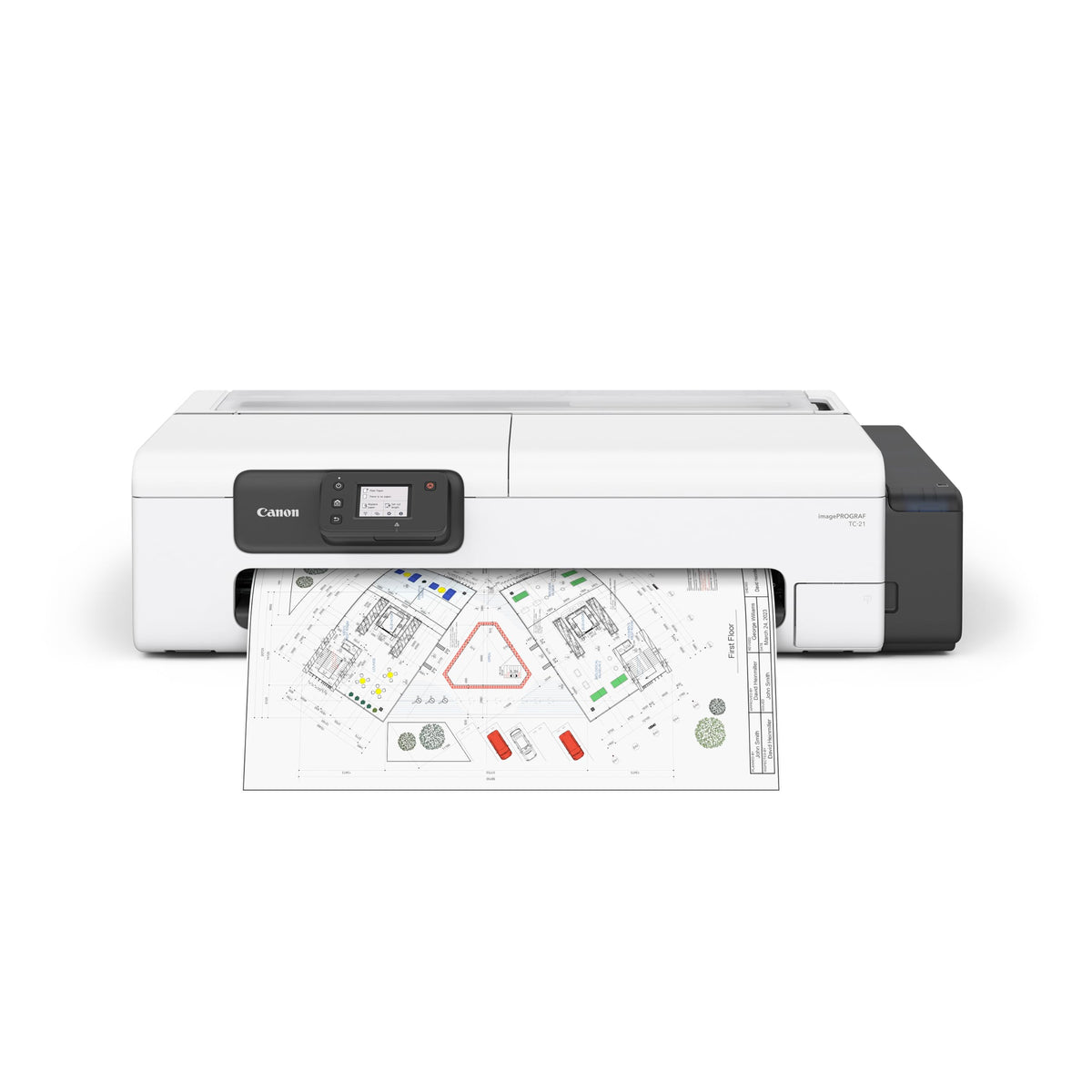
Canon imagePROGRAF TC-21

24" · Standard yield

Yield
Standard yield
Type
Genuine Canon
Part number
7055C002
$1,249 CAD

Volume discount at checkout: 1% over $100 · 2% over $1,000 · 3% over $5,000

1

Free shipping across Canada over $200 CAD Details

Heavy item (72 lb): shipping $99, not included in free shipping.

In-stock orders placed by 2 pm ET ship the next business day.

Brand new, US modelFull Canon manufacturer warranty
Genuine or compatibleOriginal cartridges, or compatible toner that costs less
30-day returnsUnopened, in original packaging

Buying for an office? Get a volume quote →

Compare the Canon imagePROGRAF TC-21 24" with other printers →
YieldStandard yield
TypeGenuine Canon
Part number7055C002
Overview

About the Canon imagePROGRAF TC-21 24"

Genuine Canon ink, part number 7055C002.

Original Canon supplies give the most consistent print quality and keep your printer warranty intact.

Not sure it fits? Check the model name on the front of your printer, or send us the model and we will confirm before you order.

Learn before you buy

Understanding the Canon imagePROGRAF TC-21

What kind of printer this is

A large-format printer (plotter) prints on rolls up to 24" wide: plans, CAD drawings, posters and banners. It is a specialist tool for architects, engineers, schools and print shops.
What the specs mean

Black & white
Prints black only, so you buy one cartridge and the cost per page is lower.

The real cost of a printer

The price tag is only the start. Over 3 years most printers cost more in ink than to buy. Before choosing, compare:

  • Cost per page: cartridge price ÷ page yield.
  • Recommended monthly volume: the pages per month it handles comfortably. The bigger duty cycle number is a maximum, not a target.
  • Starter cartridges: many printers ship with setup cartridges that hold less than a full one. Plan your first order early.

Find the toner or ink it uses · Cost per page explained

Setting it up

  1. Unpack it and remove all orange tape and packing pieces, including inside the covers and paper tray.
  2. Install the ink cartridges and load paper.
  3. Power on and follow the screen to pick your language.
  4. Install the driver or app from Canon's website (Canon PRINT). Avoid driver CDs, which are often out of date.
  5. Print a test page, then register the printer to activate the warranty.

Keep it running well

  • Keep a spare cartridge on hand so a busy day never stops.
  • Use good, dry paper and fan the stack before loading to avoid jams.
  • Install firmware updates from Canon for fixes and security.
  • Faded pages, streaks or jams? Start with our troubleshooting guides.